 Skip to content


 Vouchers
 Merch store
Rent a Studio
Rent a Photo Studio in Munich: What Is Included, What You Bring and How to Plan the Day
 AI
Oct
The job is booked, the model is confirmed, the shot list is finished — and then the room is missing. Renting studio space sounds like a quick decision: pick the hours, pay, shoot. In practice the quality of your day is decided earlier, by three questions. What is actually included in the rental time? What do you have to carry in yourself? And how many of the booked hours are left for taking pictures?
This article walks through the points in the order they will hit you on the day. If you want to rent a photo studio in Munich, start at the top.
In short
- Three packages: 1 hour, 4 hours or 8 hours — €170, €650 and €1,200, each plus 19 % VAT.
- Included: six Godox QT600 II high-speed flash units, continuous lighting, a green screen, wireless triggers, Capture One tethering and all shots handed over on a USB drive.
- You bring: camera, lenses, memory cards, props, clothing, styling.
- The number of background colours depends on the package: one colour for 1 hour, two for 4 hours, three for 8 hours.
- Rental time starts at handover — setup, teardown and cleaning run inside it.
- Budget for extras: additional time by prior agreement, cleaning €129 per hour, repair of a single flash head €450.
- Address: Westendstraße 177, 4th floor, 80686 Munich. The service page states that a lift is available.
What You Get When You Rent a Photo Studio at PM STUDIOS
The service page describes a room of more than 100 m² with two features that make the practical difference: an overhead rail system for the flash units and a separate area with a makeup station, kitchen, shower and wardrobe.
The rail system means your lighting does not depend on floor stands. You get floor space back — which you notice the moment several people work in the room at once. The technical data page lists four rail segments of 4 × 3 m.
The side area sounds secondary and is not. If you work with a model, a makeup artist or a stylist, a substantial part of the day happens there rather than in front of the camera. Without a dedicated makeup spot, styling blocks your set.
Identical across all three packages, according to the service page:
- 6 × Godox QT600 II high-speed flash units, colour temperature constant at 5600 K ± 200 K
- Continuous lighting additionally available
- Godox X2 2.4G TTL wireless triggers, compatible with Nikon, Canon, Sony, Panasonic and Fuji
- Capture One for camera tethering with image review over USB
- Green screen plus an interchangeable background system
- All shots on a USB drive; a 5-metre USB cable on request
What the package lists do not itemise are light modifiers. The technical data page lists, among the studio equipment, two strip boxes 40 × 180 cm, two octagon softboxes Ø 95 cm, one softbox Ø 180 cm, standard reflectors with diffusers, reflectors with gel holders and beauty dishes in 40 cm and 70 cm. Whether those are part of your rental is not stated there. Ask when you book, before you build a lighting plan around them — and name the shapes you actually need.
Which Package Fits Which Job
| Package | Rental time | Price | Background colours |
|---|---|---|---|
| Package 1 | 1 hour | €170 | 1 |
| Package 2 | 4 hours | €650 | 2 |
| Package 3 | 8 hours | €1,200 | 3 |
All prices plus 19 % VAT, as of 27 October 2026.
1 background colour
2 background colours
3 background colours
All package prices plus 19% VAT. Additional time and equipment by prior agreement.
How to map them onto your job:
- One hour is enough for one clearly defined case: one portrait, one product, one look. It is not enough to develop a lighting setup from scratch.
- Four hours is the realistic standard day for a shoot with styling and two backgrounds. Two colours let you build a hard break in look — neutral for business, coloured for social.
- Eight hours pays off when several people or many items go through. Three colours allow genuine series work.
One note on scheduling: office hours are Mon–Fri 09:30–19:00 and Sat 10:00–19:00, Sundays by arrangement. Eight hours of rental time therefore fit into one day, but only with an early handover. Confirm the start time explicitly if you need the full day.
What You Have to Bring Yourself
“Just bring your camera” is correct and incomplete. The honest packing list:
- Camera and lenses. Lighting is provided; capture gear is not.
- Memory cards and a spare medium. The USB handover at the end is not a backup during the shoot.
- A laptop, if you want to work with your own Capture One licence or your own styles.
- A trigger adapter or second transmitter, if your camera is not one of the five named brands. The page explicitly asks you to check in advance for other brands.
- Props, clothing, styling, makeup. Everything that appears in the frame comes from you.
- Gaffer tape, clamps, a cleaning cloth, spare batteries. The small items nobody plans for and every delay comes from.
- Water and something to eat, if you book more than four hours. There is a kitchen.
Backgrounds: One, Two or Three Colours
The three tiers do not differ in technology; they differ mainly in how many background colours you get per shoot. The technical data page lists as background stock a green screen, paper rolls 2.72 m wide and the colours White, Black, La Goon, Sun Flower, Char Coal and Smoke Grey, plus a six-fold background hook.
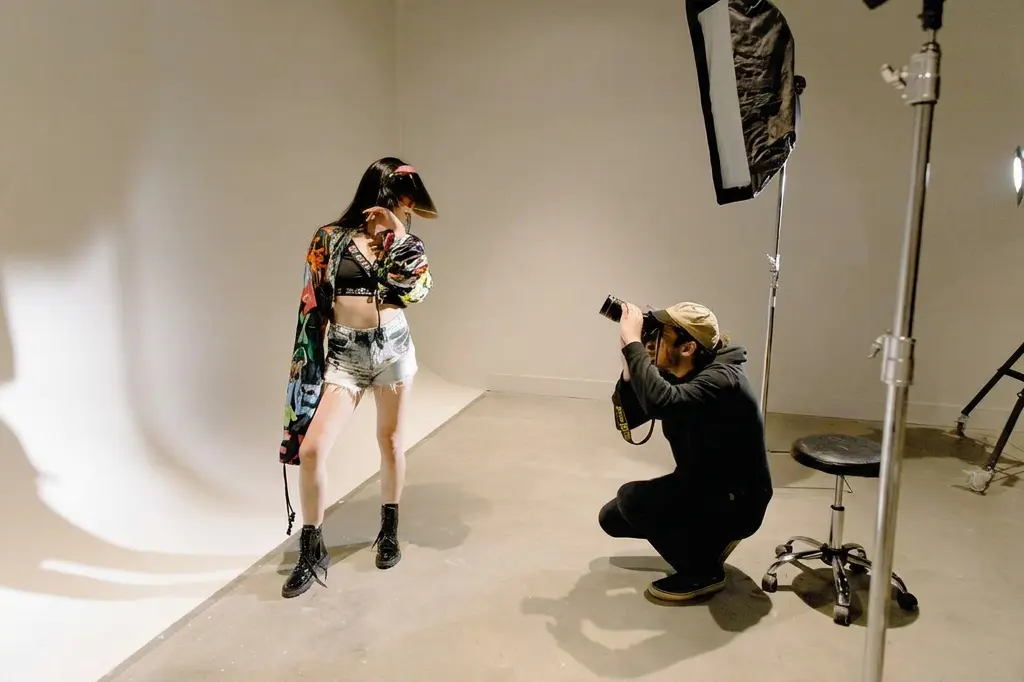
The practical consequence: decide the colours before the appointment, not in the studio. The count is capped by your package, and every change costs minutes. If you are unsure, take white plus one colour — white carries cut-outs and business work, the colour carries everything meant to stand out.
Paper backgrounds are consumables. Shoes, stand feet and props leave marks. Take your model’s shoes off early or lay down a step mat — that is the cheapest way to avoid the liability question further down entirely.
Flash, Continuous Light and Those 5600 K
Six flash heads are more than most setups need. The more interesting figure is 5600 K ± 200 K: the colour temperature stays stable across power levels. For you that means you can run a fixed white balance instead of correcting per stop.
That matters as soon as you mix flash and continuous light. Continuous light is available and intended for video. Mixed light from two sources at different colour temperatures is the most common cause of colour casts that are painful to separate in retouching. Pick one light type per setup — or measure the mix once properly and keep it.
For video it works the other way round: the flash units can be switched off, continuous light is available, and the service page explicitly names video production as a use case.
Capture One and Tethering: What You Really Need It For
Camera tethering through Capture One with review on a large monitor is included in the package. The benefit is not image control for you — you have your display for that. The benefit is agreement among the other people in the room: client, art direction, model and makeup artist all see the same image at a usable size. Decisions about pose, fold and crop get made once instead of three times.
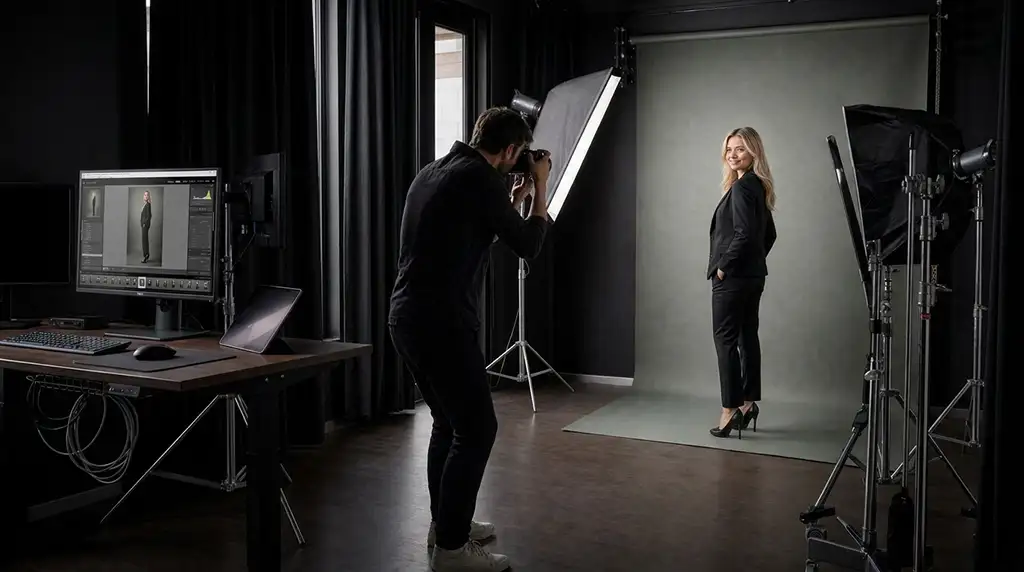
Two practical points:
- Test the connection in advance, especially with a new body or a new cable. The service page itself suggests arriving a few minutes early to check the gear.
- Settle where files live. You receive all shots on a USB drive at the end. If you also tether to your own machine, decide in advance which location is authoritative. Two parallel folders in different states are the most unpleasant form of data loss.
Green Screen: When It Helps and When It Costs You Time
A green screen is available and, according to the FAQ, can be set up and taken down as needed. It pays off when the background will be replaced anyway — for composites, virtual sets or product series dropped into different scenes.
It costs you time when you build it “just in case”. Usable keying needs even illumination of the surface, distance between subject and cloth, and clean edges on hair and semi-transparent fabrics. Count the setup in minutes of your booked time and decide beforehand whether you genuinely need it. With one hour booked, the answer is almost always no.
A Realistic Four-Hour Schedule
| Time | What happens |
|---|---|
| 0:00–0:20 | Handover, gear check, triggers and tethering tested |
| 0:20–0:50 | Lighting setup 1, test frames, white balance fixed |
| 0:50–1:10 | Styling in parallel in the makeup area |
| 1:10–2:10 | Shooting setup 1 (background colour 1) |
| 2:10–2:30 | Change to background colour 2, lighting adjusted |
| 2:30–3:20 | Shooting setup 2 |
| 3:20–3:40 | Pickups, details, safety variants |
| 3:40–4:00 | Teardown, data handover, studio returned clean |

Read the table as a warning rather than a promise: of four booked hours, roughly two and a half remain for shooting. Anyone who does not plan for that loses the last items on the shot list.
Costs That Get Overlooked
The service page states three items openly:
- Additional time must be agreed in advance. Confirm extension options and costs when booking rather than relying on a spontaneous extension.
- Cleaning €129 per hour. Optional: clean it yourself and the item disappears. Decide before the day — cleaning inside the rental time costs shooting time, cleaning afterwards costs money.
- Repair per flash head €450, other damage charged by effort. As the renting party you are liable for damage to the equipment.
Two decisions follow, both best made before the appointment: whether you book the cleaning service, and whether your business or liability cover includes damage to rented equipment. Check that with your insurer — the studio page makes no statement about it. Contract terms are in the general terms and conditions.
People in the Frame: Consent Is Your Job
If you photograph people in a rented studio, you are responsible for the rights in those images — not the studio. In Germany, § 22 of the Kunsturhebergesetz (Art Copyright Act) applies: portraits may as a rule only be distributed or publicly displayed with the consent of the person depicted (statute, in German).
In practice: bring a written release that names the intended use — portfolio, website, social media, client project, advertising — and have it signed before the first frame. For minors you need the consent of those with parental responsibility. A verbal yes on set is not a document that will help you later.
Getting There, the Fourth Floor and Logistics
The studio is at Westendstraße 177 on the fourth floor, in Munich’s Westend / Schwanthalerhöhe district. Westendstraße underground station (U4/U5) is a few minutes away; bus lines 53, 62, 63, 130, N80 and N81 stop nearby. Parking is available in the surrounding area and there is a lift.
With equipment, that last point is what counts. Still plan the carry: rolling cases rather than loose pieces, and two people if you bring a lot. Details and a map are on the location page.
Payment methods listed on the service page are cash on pickup, PayPal, Visa, MasterCard, American Express, Apple Pay, Google Pay and SEPA.
Common Mistakes – and How to Avoid Them
- Confusing rental time with shooting time. The clock starts at handover. Setup, changes, teardown and cleaning come out of it.
- Deciding background colours in the studio. The count is capped by the package, and every change costs minutes.
- Not checking trigger compatibility. The triggers cover five brands; anything else needs a question in advance.
- Mixing flash and continuous light without control. One light type, or one mix measured properly and kept.
- Building the green screen as a precaution. Without a concrete use, it is lost rental time.
- Not planning for cleaning. Either clean it yourself (time) or book it (€129/hour) — but decide deliberately.
- Shooting without a release. Document before the first frame, not after.
- No second storage medium. The USB handover at the end is delivery, not backup.
FAQ – Frequently Asked Questions About Studio Hire
Which cameras work with the wireless triggers? According to the service page, the Godox X2 2.4G TTL triggers are compatible with Nikon, Canon, Sony, Panasonic and Fuji. For other brands the studio asks you to check before booking.
Do I need to bring my own lighting? No. Six Godox QT600 II high-speed flash units and continuous lighting are on site. You bring camera, lenses and personal accessories.
How many background colours are included? One with package 1 (1 hour), two with package 2 (4 hours), three with package 3 (8 hours) — per shoot in each case.
What does it cost if I need longer? Extension options and the applicable costs are agreed in advance when booking.
What happens if something breaks? You are liable for damage to the equipment. Repair of a flash head is stated as a flat €450; other damage is charged by effort.
Do I have to clean up myself? You return the studio in clean condition. Alternatively you book cleaning at €129 per hour.
Can I rent the studio for video? Yes. Continuous light is available, the flash units can be switched off, and the service page names video production explicitly.
Is a green screen available? Yes, a professional green screen that can be set up and taken down as needed.
Can I use Capture One? Yes. Capture One is provided for tethering, the camera connects via USB, and images appear immediately on a large monitor.
Is there parking? There are parking options in the area around the studio. The address is Westendstraße 177, 80686 Munich.
Can I give studio time as a gift? Yes. According to the service page all three packages are also bookable as vouchers and are sent as a download.
Can I book the studio regularly or for several days? The service page names long-term rental and workshops as special cases and points to an individual quote. Ask through the contact form.
Your Studio Booking at PM STUDIOS
Once date and duration are settled, book directly through online booking. For long-term rental, workshops or special cases use the contact form — state your preferred date, the duration, the number of people, the background colours you need and the light modifiers you want. The more specific the request, the less of your rental day goes into coordination.
All packages, inclusions and extra costs are on the rent the PM photo studio page; the full equipment list is under technical data.
Book the studio
The rental packages can be booked directly through the booking page. If you want to settle equipment, background colours or an out-of-hours slot first, use the contact form and state the date, duration, number of people and the backgrounds you need.
Location & Getting There
The studio is at Westendstraße 177 in Munich’s Westend district, a few minutes’ walk from the Westendstraße underground station. The service page states that a lift is available – worth knowing in advance if you bring heavy gear, because the studio is on the fourth floor.
Address
PM STUDIOS – Photo Studio Munich
Westendstraße 177, 4th floor
80686 Munich, Germany
Getting there
Underground: U4 or U5 to Westendstraße
Tram: line 18 to Westendstraße
Bus: 130 or 157 to Westendstraße, 62 to Elsenheimerstraße
Timetables and disruptions: MVG Munich
Arriving with gear: there are no dedicated customer parking spaces. The service page points to parking options in the surrounding area – you have to find one yourself, so allow time for it. If you bring a lot of material, arrange unloading in advance.
Plan your route · Location page
Sources
- PM STUDIOS: Rent the photo studio (service page, retrieved 27 October 2026)
- PM STUDIOS: Technical data (retrieved 27 October 2026)
- PM STUDIOS: Prices (retrieved 27 October 2026)
- PM STUDIOS: General terms and conditions (retrieved 27 October 2026)
- Section 22 KunstUrhG (German Act on Copyright in Works of Fine Art and Photography)
