 Skip to content
 Deutsch
 Vouchers
 Merch store
Product photography
Product Photos for Your Online Shop: Requirements, Preparation and the Studio Workflow

Oct
ⓘ AI imageThe featured image is an AI-generated illustration.
In short
Product photos for online shops rarely come down to a single image per item. The usual set is a main shot (cut out, square), two to four detail shots, one image that makes the size understandable and – where it fits – a shot showing the product in use.
Three things decide the result before the first frame is taken:
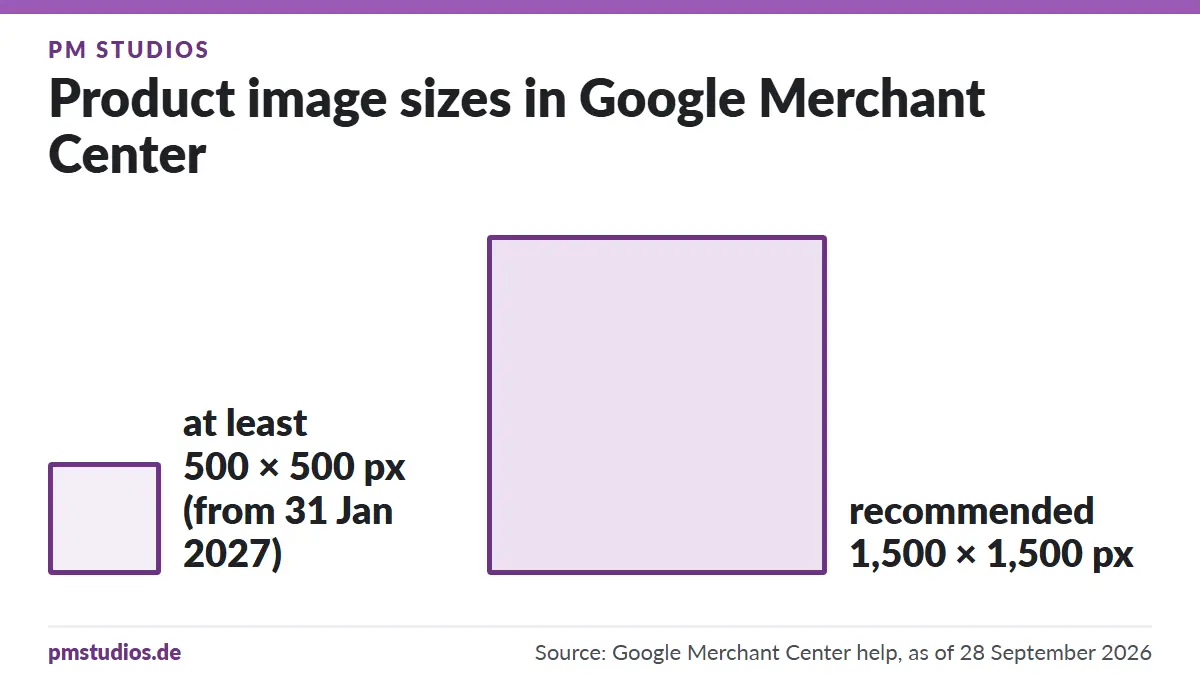
- Resolution. For Google Merchant Center, product images must be at least 500 × 500 pixels from 31 January 2027, and at least 1,500 × 1,500 pixels is recommended. Shoot too large rather than too small — you can always scale down, never up.
- Consistency. Same background, same framing, same angle across every item. A calm shop page sells better than a patchwork of four lighting moods.
- Variants. Every colour, size and packaging option you list separately is its own pass through the set. This is where shoots get more expensive than planned.
Settle those three points before the appointment and the rest is craft.
What your product photos actually have to do
A product photo in a shop does three jobs at once, and they sometimes conflict:
- It has to show the item correctly. Colour, material, surface, proportion. Show an anthracite product as black and you are manufacturing returns.
- It has to work as a thumbnail. On a category page your image is often only 200 pixels wide. Whatever is not readable there does not exist for the customer.
- It has to hold up outside your shop. The same file runs in Google Shopping, on marketplaces, in newsletters and in ads — each time in someone else’s layout, next to the competition.
Points 2 and 3 lead to the single most important creative decision: the main image stays calm, centred and free of distraction. Mood, props and context belong on the follow-up shots.
Technical requirements: size, format, background
Resolution. The Google Merchant Center help page for the "image link [image_link]" attribute states that from 31 January 2027 all product images must be at least 500 × 500 pixels, and recommends at least 1,500 × 1,500 pixels for good performance across all ad formats. We therefore shoot so that even a crop to a detail stays above those numbers.
Aspect ratio. Square (1:1) is the safest standard for shop tiles and marketplaces. Frame with room around the product — then the same file can later be cropped to 4:5 or 16:9 without cutting into the item.
Background. Pure white is the default for the main image: neutral on any shop theme, clean to cut out, and usually required on marketplaces. Coloured backgrounds make sense for campaign and detail shots, not for the tile.
File format. Take delivery from the studio in a low-loss format (TIFF or high-quality JPEG) and let your shop system handle compression. Modern formats such as WebP save considerable data in the front end — but that is a website step, not a photography step.
Which product photos you really need per item
A working baseline set for most shops:

| Image | Purpose | Note |
|---|---|---|
| Main shot | Tile, ad, marketplace | cut out on white, centred, 1:1 |
| Second angle | Makes the shape readable | back, side or 45-degree view |
| Detail | Material and finish | seam, surface, closure, control element |
| Scale reference | Prevents returns | item in hand, next to a familiar object, or with dimensions in frame |
| In use | Supports the purchase decision | product in context, worn or in a room |
| What’s included | Sets expectations | all supplied parts side by side |
Not every item needs all six. But every item needs images 1 to 3 — and anything where size or fit matters needs image 4 as well.
Cut-out or scene? You need both
A cut-out is a shot where the background is removed or reduced to pure white. It is indispensable because it works everywhere: in the shop, in the feed, in the ad, in a price comparison listing.

A scene shot shows the item in use or in a designed environment. It sells the idea rather than the object — and it is what works on social media and on category headers.
The shooting order is almost always: all cut-outs first, in one run, then the scenes. Set changes cost time, and cut-outs are the part you definitely need.
What to bring to the appointment
This list decides whether an hour of studio time becomes an hour of shooting or half an hour of searching:
- Every item cleaned and unpacked. Fingerprints, dust and label residue cost more in retouching afterwards than wiping them off beforehand would have.
- A list with article numbers. Without SKU mapping you will be guessing later which file belongs to which item. Bring it as a shot list: note which perspectives you need per item before the shoot — which is exactly what our service page recommends.
- The variants you actually list. Not every colour has to come to the studio — but every colour that gets its own image in the shop does.
- Two or three reference images. Screenshots from your own shop or from products whose visual language you like. That settles in two minutes what ten minutes of description will not.
- Accessories, packaging and labels, if they are meant to be in frame.
- One contact person who can decide. Questions answered by chat hold up the day.
Variants, colours, sizes: the most common cost driver
Do the honest calculation before booking: number of items × images per item. Thirty items with four images each is 120 shots — and 120 shots is not a one-hour appointment.
Two levers cut the effort noticeably:
- Group similar items. Everything that uses the same set-up gets shot in one run. A set change costs more time than ten exposures.
- Prioritise variants. Often a full image set for the main variant plus one main shot per colour is enough. A complete set for every colour is rarely necessary.
How your product shoot works at PM STUDIOS
- Consultation and concept. We settle your goals: which sales channel, which style, which products, and whether you need styling or specific props. That also determines which package fits.
- Preparation. We set up the studio: light, backgrounds, props. You bring your products — or we come to you.
- Shooting. We photograph your products efficiently and professionally: many shots in a short time, at consistently high quality. Depending on the package this runs 1 to 8 hours, with enough time for set-up, set changes and product swaps.
- Editing and handover. We retouch the images and optimise colour and brightness; more on the photo retouching page. You receive the photos online via a download link or on USB — print-ready or optimised for the web.

File names and alt text: the step almost everyone skips
Google Search Central is explicit here: use descriptive filenames, titles and alt text, and supply sharp, high-quality images — blurry, unclear images appeal to users less.
In practice that means:
wool-beanie-anthracite-main.jpginstead ofIMG_4821.jpg- Alt text describes what is visible: "Anthracite wool beanie with folded brim, cut out on a white background" — not "buy beanie cheap munich"
- One alt text per image, in whole words, with no keyword chains
The fastest moment to do it is on import: set the file names once from your article list before the product photos go into the shop. It is the step most reliably left undone in day-to-day shop work.
What a product shoot costs
The packages for product and e-commerce photography at PM STUDIOS are graded by studio time:
| Package | Studio time | Price |
|---|---|---|
| Package 1 | 1 hour | €210 |
| Package 2 | 4 hours | €770 |
| Package 3 | 8 hours | €1,550 |
All prices plus 19 % VAT. Each package includes one background colour per shoot, digitally optimised photos, background colour and brightness adjustment, retouching, and delivery of all shots via the internet or on USB. As of 28 September 2026 — for current details always see product photos, e-commerce shooting and prices.
Which package fits comes down almost entirely to the calculation above: items times images. Send us the number and we will tell you what realistically fits into an hour.
Common mistakes – and how to avoid them
- Shooting "something quick" on a phone and planning to replace it later. In practice the placeholder images stay online for years.
- Lighting every item differently. The shop page looks restless even though each single image is fine.
- Cropping too tight. With no margin the file cannot be re-cropped for any other format.
- Not showing scale. The most avoidable reason for returns.
- Bringing uncleaned items. Dust on dark surfaces is the most expensive retouching there is.
- Deciding variants in the studio. That spends time meant for shooting.
FAQ – product photos for online shops
How many product photos do I need per item?
Three is the minimum: main shot, second angle, detail. Four to six is normal as soon as size, fit or scope of delivery needs explaining.
What image size does Google Shopping require?
According to the Google Merchant Center help, product images must be at least 500 × 500 pixels from 31 January 2027; at least 1,500 × 1,500 pixels is recommended. Check your existing files well before that date.
Does the background have to be white?
White is the safe standard for the main image because it works with any shop theme and on marketplaces. Detail and scene shots can be coloured.
Can you shoot product photos at my location?
Yes, on-location shoots are possible; travel plus set-up and tear-down are charged separately. Current terms are on the e-commerce shooting page.
How long does a shoot with 50 items take?
That depends on the image set. Three images per item with the same set-up is roughly 150 shots — realistically a full day, not a morning. Send us the item list and we will estimate it concretely.
Do I get the images edited, or do I have to do that myself?
Every image is professionally edited: colours optimised, background smoothed, small flaws removed. Optimisation to a pure white background and compliance with the Amazon requirements are included in the package price. Extensive retouching — removing labels, compositing images — is agreed in advance.
May I use the product photos on Amazon, eBay and in ads?
Yes. The product photos are produced for your sales — the specific usage agreement is set out in the quote.
Your product shoot in Munich
Once you know how many items and how many images you need, the rest is settled quickly. Have a look at e-commerce shooting and product photography, check location and directions — then book your appointment or drop us a line via the contact form if you need a cost estimate first.
Sources
